How it works
What follows is the whole system in the order you would meet it — from the first evening of typing your company in, to the morning six months later when somebody asks what a vendor is owed and the answer takes four seconds.
Day one
Name, address, NTN and the letterhead that goes on every printed order, voucher and statement. One screen.
Who signs in, and which of the six roles they get. Roles are yours to edit — the grid is read, write or nothing, per module.
The jobs everything else hangs off, with their cost centres. Archive one when it finishes and its documents stay where they are.
Opening balances, if the company did not begin last week. Enter them once and the ledger picks up from there.
The chart of accounts is already in — a construction one, with retention, withholding tax, materials inventory and work in progress where you would expect them. Change what you disagree with.
The chain
Every one of them carries two approvals, and the fourth is the one that writes to the ledger.
Lines, quantity, the project, the cost centre and a justification. The person asking does not need to know a vendor or a price.
Choose an approved requisition; the lines come across. Add the vendor, the rates, tax, freight and the terms.
The store confirms quantities against the order — in full or in part — and notes the delivery challan. Stock moves here.
Gross, withholding tax, retention, any other deduction, the bank and the instrument. The voucher prints, and the journal posts.
Customers, sales invoices and receipts run the same way, against the same ledger, with the same two approvals.
For the entries that belong to no document. It still refuses to post unless the two sides agree.
Stores and stock
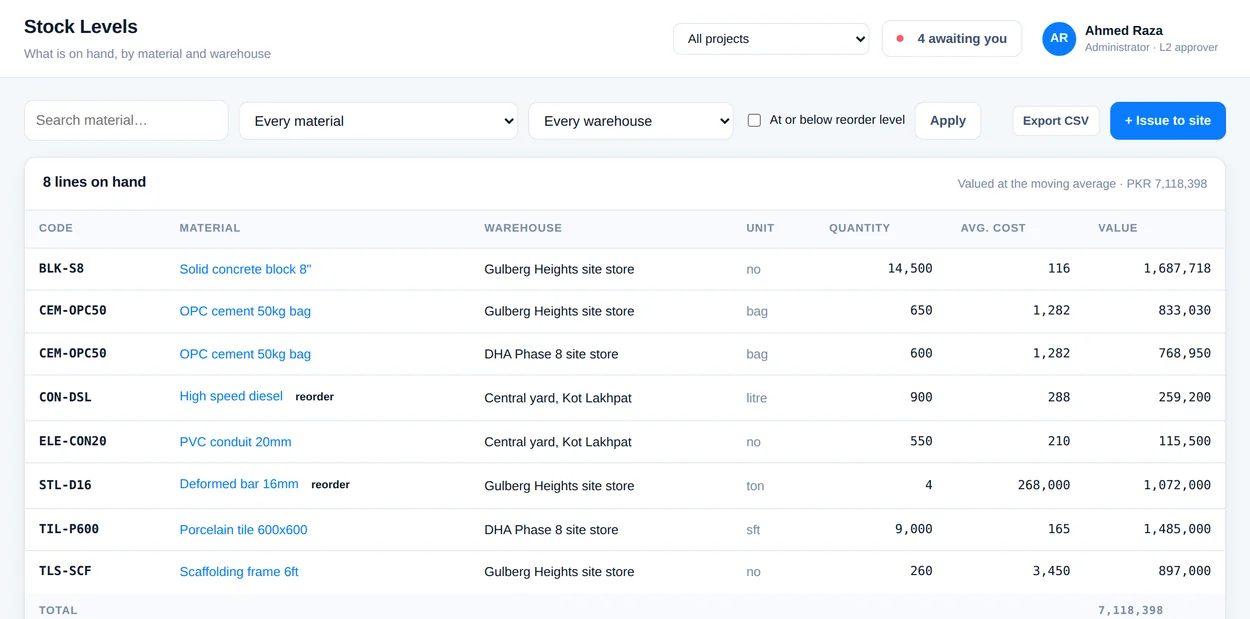
Materials, warehouses and bins, with a moving-average value that updates on every receipt. Issues to site, transfers between stores and adjustments all leave a ledger entry behind them, so the inventory figure in the balance sheet is the same number the store keeper is looking at.
People and payroll
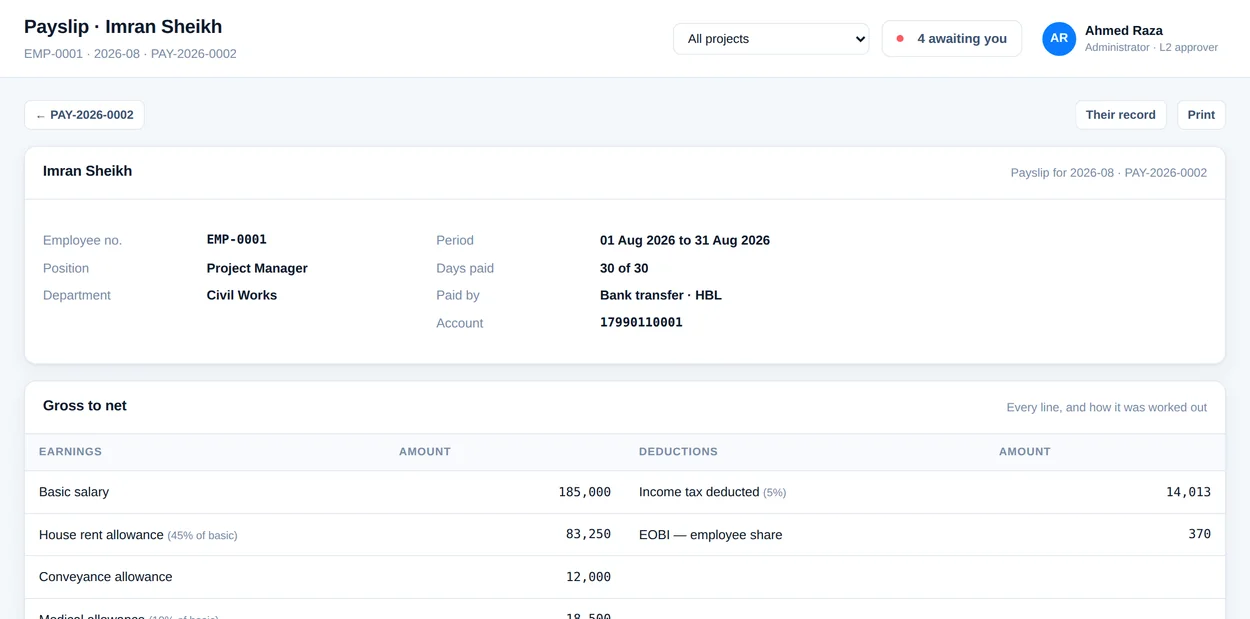
Employees, departments, positions, absences and personnel actions — then a pay run built from wage types you define. Approve it and the payslips are issued and the journal is written: salaries expense, payable, and whatever is deducted, each to its own account.
Who owes what
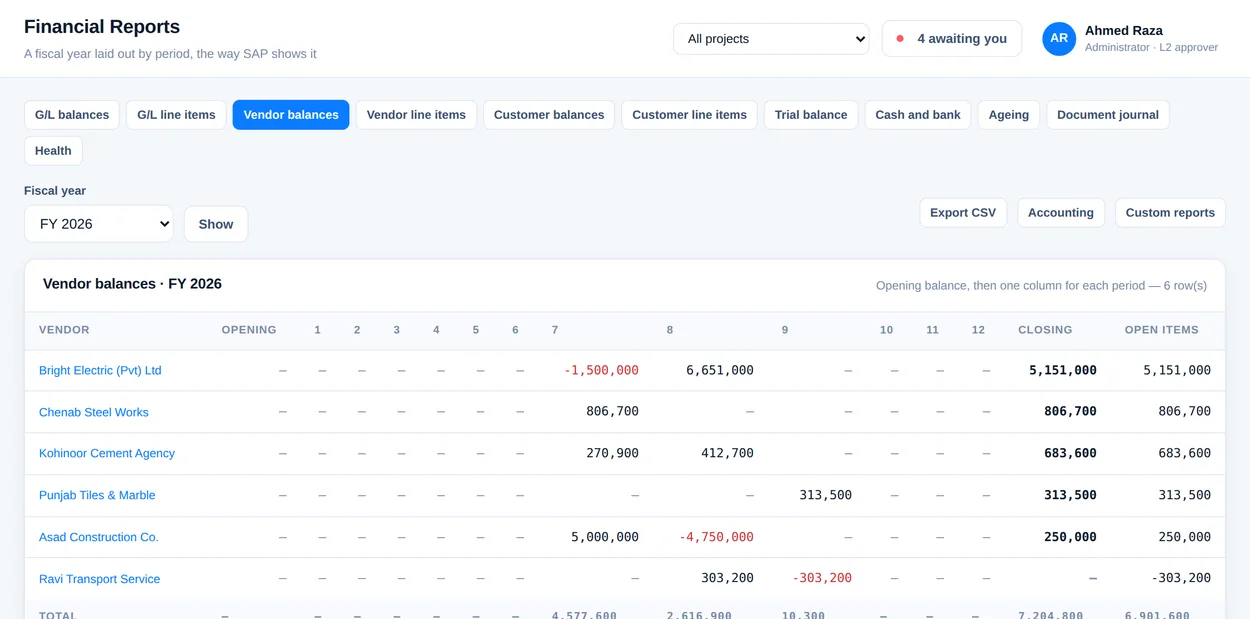
Payables and receivables by age bracket, a balance per vendor and per customer, and a statement for any of them that you can print and send. None of it is a separate register kept alongside the books — every figure is the sum of postings that a document made.
Asking it things
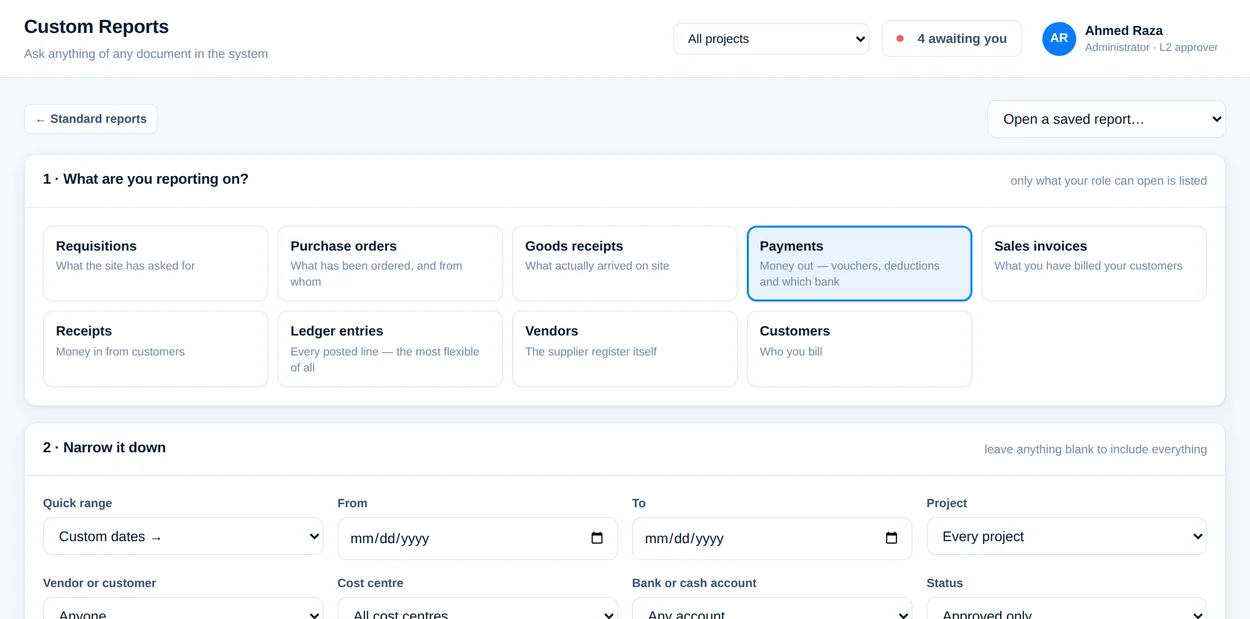
Position, payables, ageing, cash out, retention and tax, vendor and customer statements, trial balance, profit and loss, balance sheet. When the question is one nobody anticipated, the builder takes a source, the columns you want, a date range and a grouping, and gives you the answer — and lets you save it under a name so the next person just runs it.
Who sees what
Roles are a grid: thirty-four modules down the side, and for each one no access, read, or read and write. Six roles are set up to begin with and every one of them is yours to change — except the administrator, which cannot be stripped, because somebody has to be able to put it right.
The permission is enforced in the router, before the page is decided — not by hiding a menu item. A URL somebody was sent, or guessed, gets the same answer.
Someone without financial access sees a dashboard with the figures taken out of it, not a dashboard with the figures greyed. There is nothing to read over a shoulder.
Every create, edit, approval and rejection goes into the activity log with the person and the time. Six months later it still answers who and when.
Sign up, add a vendor and a project, raise a requisition and follow it to the ledger. Twenty minutes, and you will know.