AAxisFlow

A walk through

One request, from the site to the payment run.

Every screen below is the real product, photographed from a sample workspace belonging to a fictional fit-out contractor. Nothing here is a drawing.

Step one

Somebody needs something.

A site engineer opens AxisFlow and raises a purchase request: what it is, how much of it, which project and cost centre it belongs to, and why. The quotations go on with it — that can be made compulsory, and on most sites it should be.

  • Lines by quantity and rate, or as a single amount
  • Six other kinds too: orders, invoices, payment requests, contracts, new suppliers, delivery confirmations
  • Save it as a draft and finish it tomorrow
  • Copy last month's request rather than typing it again
axisflow — home
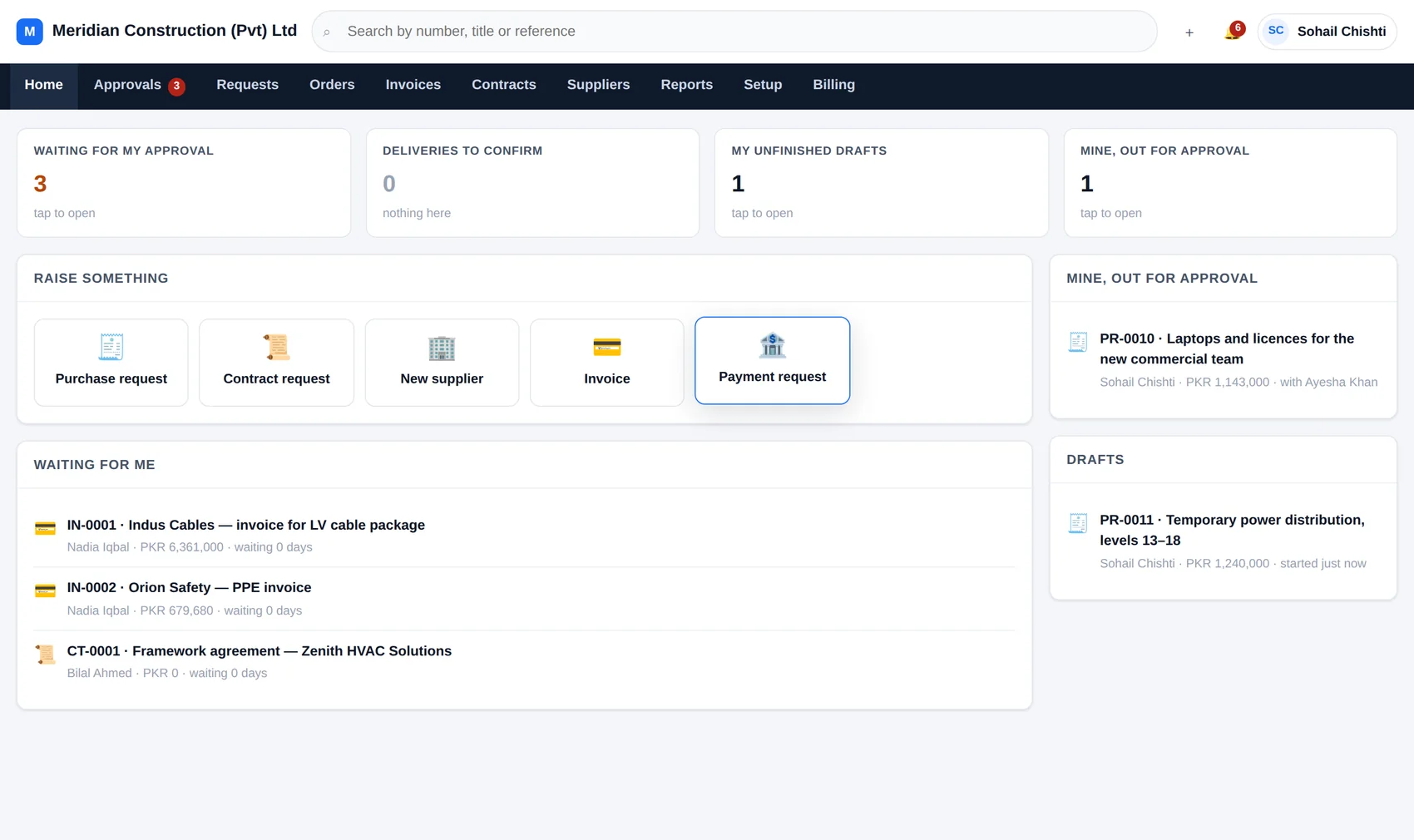
The AxisFlow home screen: counters for what is waiting, buttons to raise a purchase request, contract request, new supplier, invoice or payment request, and a list of documents waiting for this person.
The first screen: what is waiting on you, and everything you can raise.

Step two

The chain is worked out, not remembered.

At the moment it is submitted, every rule for that kind of document is tested in order and the steps of the ones that match are strung together. Here three rules fired: the cost-centre owner sees everything, anything above a hundred thousand climbs the management line to somebody whose limit covers it, and above a million finance has to see it too.

That chain is then frozen onto the document. Edit the rule next week and next week's requests change; this one keeps the chain it was given.

The approval chain on a request: Ayesha Khan has approved, Faisal Mahmood has it now, Sohail Chishti and Nadia Iqbal are next, with a line explaining which rules chose each of them.
“Why these people” is on the document, in the words of the rules that fired.

Step three

Where those rules come from.

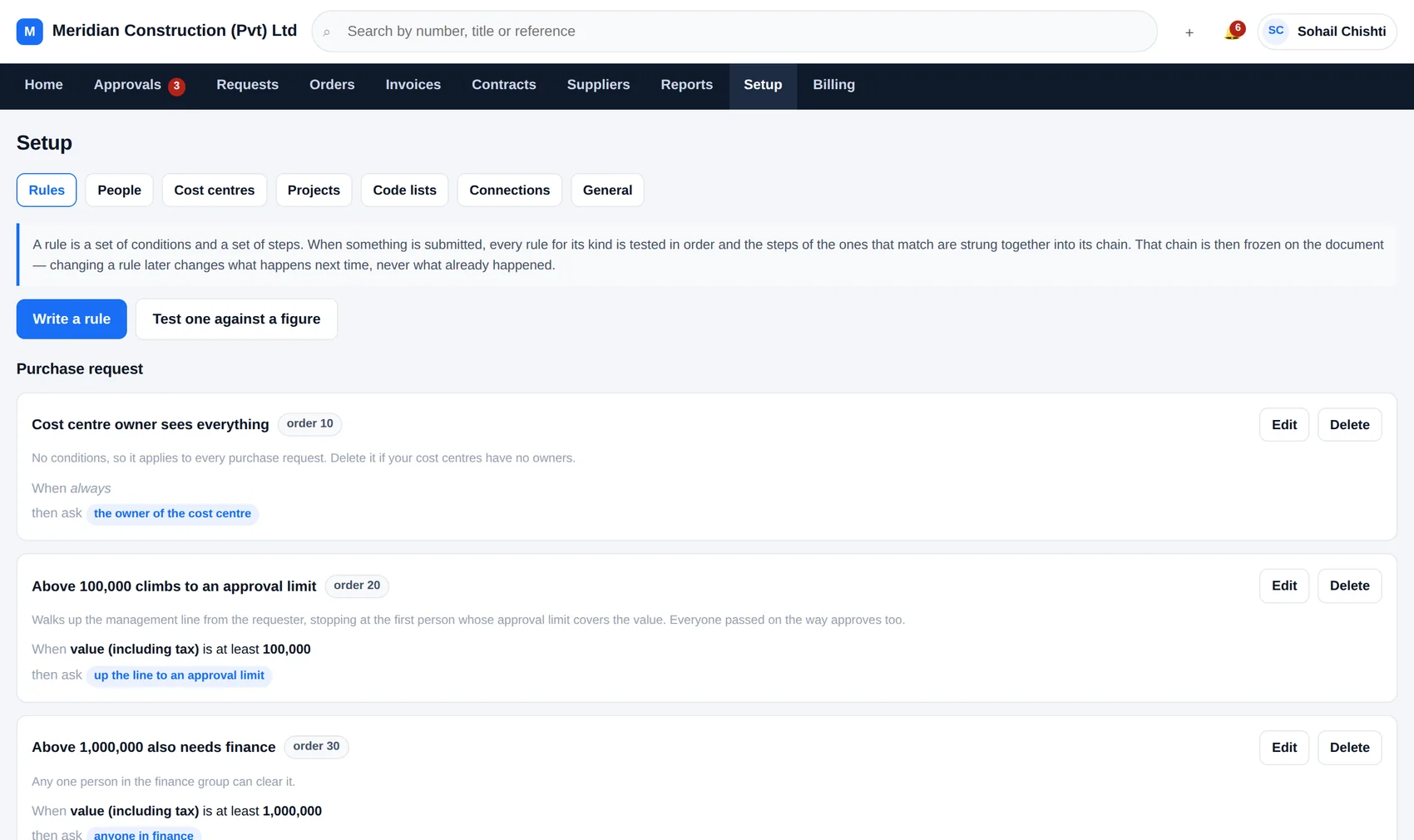
A rule is a set of conditions and a set of steps, written on one screen in language you would use out loud. You can test one against a figure before turning it on, and see the chain it would produce.

axisflow — setup, rules
The list of approval rules in AxisFlow.
Fourteen rules are written for you when you sign up.
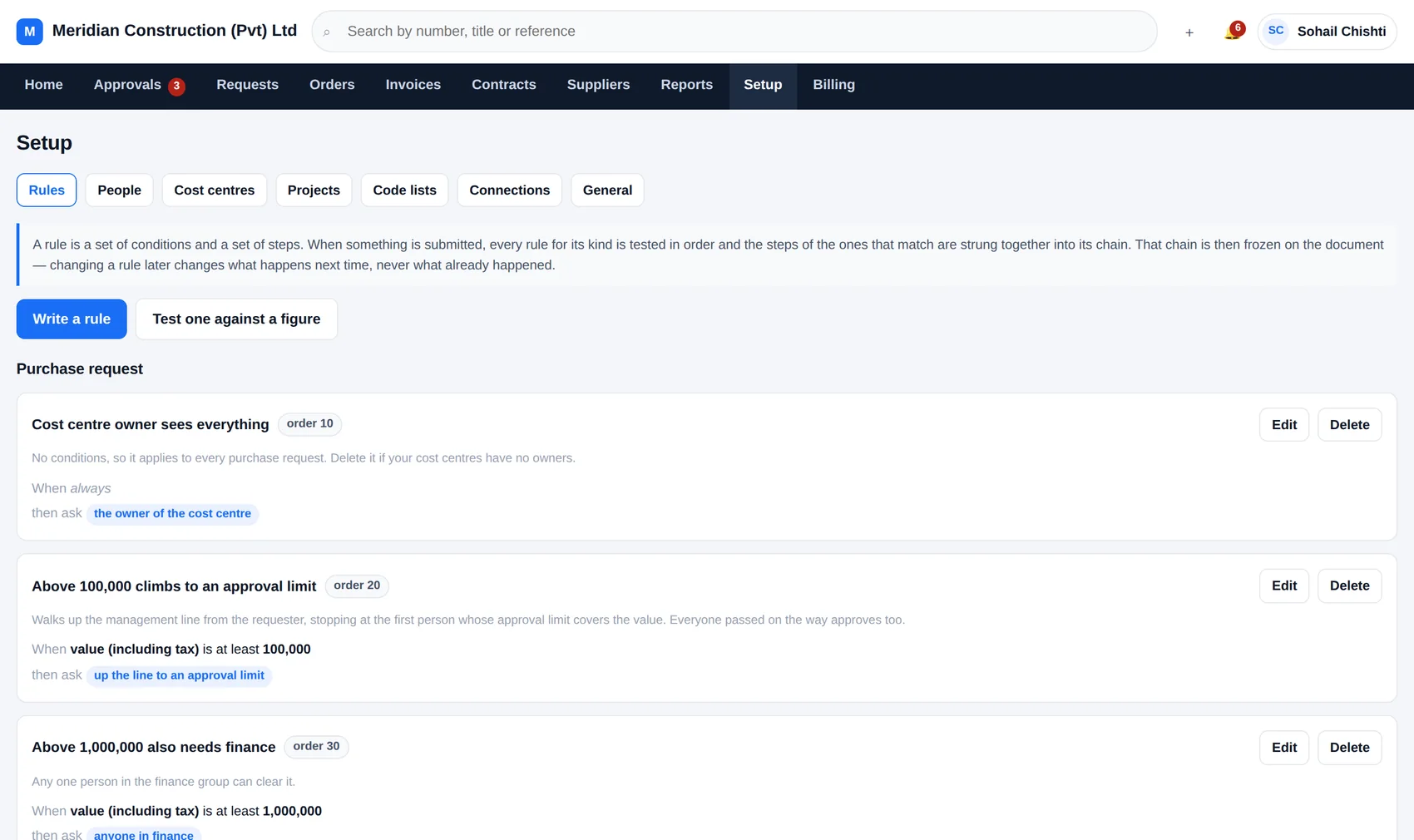
axisflow — editing a rule
Editing an approval rule in AxisFlow: its conditions and the steps that follow.
Conditions on the left, the people they summon on the right.

Conditions

Value including tax, project, cost centre, supplier, category, location, who raised it, or whether the budget would be exceeded. Combine as many as you like.

Steps

A named person · anyone in a group · the cost-centre owner · the project manager · the requester's own manager · the whole management line · or up the line until somebody's approval limit covers the value.

Order and stop

Rules are tested in an order you set, and any rule can be marked “stop here” so the ones below it never run. Duplicated people are collapsed; nobody is asked twice.

Step four

Deciding takes about fifteen seconds.

The approver gets an email and a line in their inbox. The value, the justification, the attachments and the budget position are all on the screen with the button, so there is nothing to go and check first.

  • Approve — it moves to the next person, or finishes
  • Send back — with a reason, which is required, because the person who raised it has to know what to change
  • Add an approver — pull somebody in without rewriting the rules; the document records that you did
  • Hand over — while you are on leave, one hop only, recorded in both names
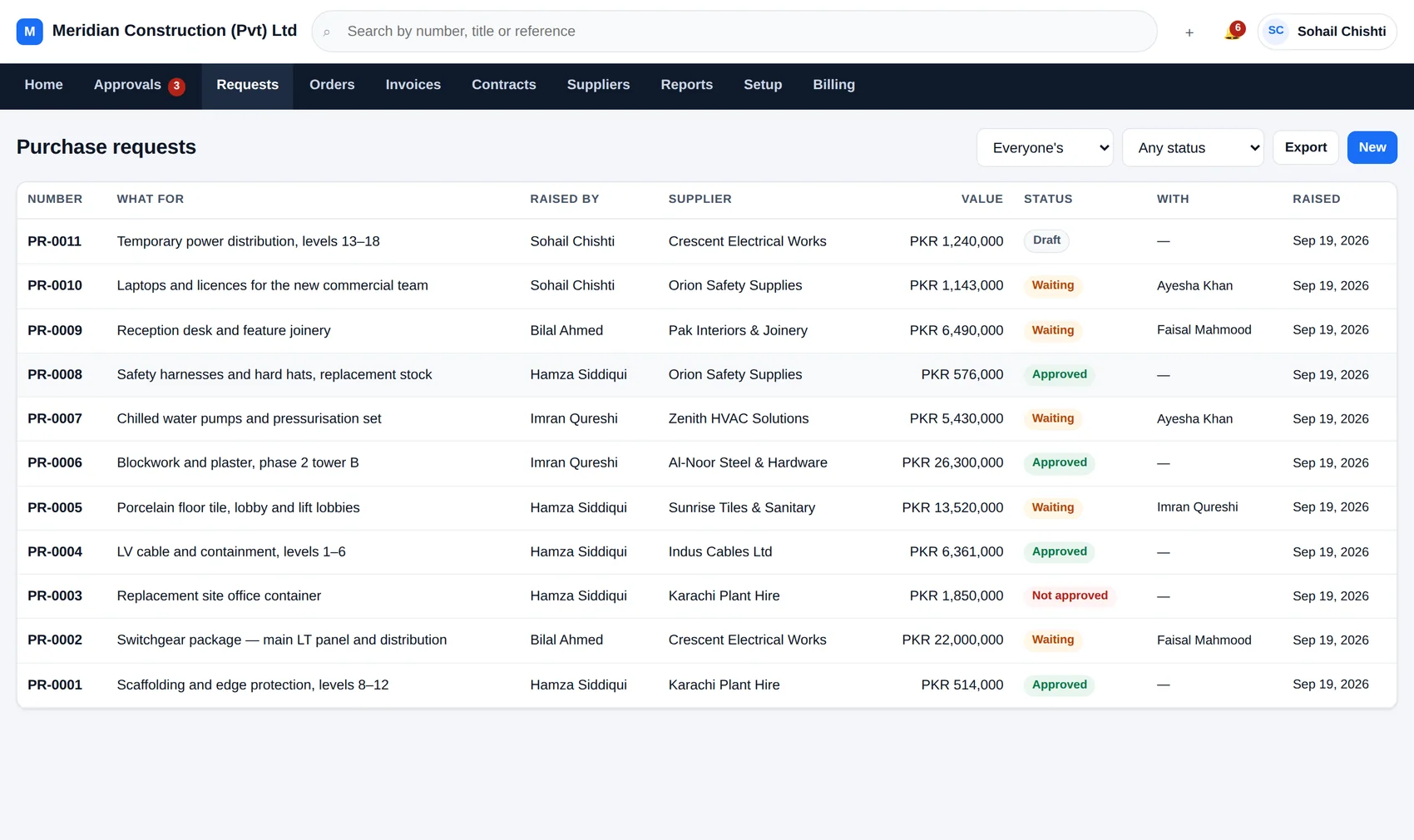
axisflow — requests
The list of purchase requests in AxisFlow with their numbers, titles, values, who raised them and their status.

Step five and six

Order, delivery, invoice — and the three that have to agree.

An approved request becomes a purchase order, carrying its lines and its supplier across. When the goods turn up, whoever received them says what actually arrived, in full or in part. When the invoice comes in, AxisFlow compares all three.

  • Matched — order, receipt and invoice agree within your tolerance, so it goes on
  • Over the order — the supplier has billed more than was agreed
  • No receipt — nobody has confirmed the goods ever arrived

The tolerance is a percentage and a floor, so small rounding differences pass and a five per cent overrun on twenty million does not.

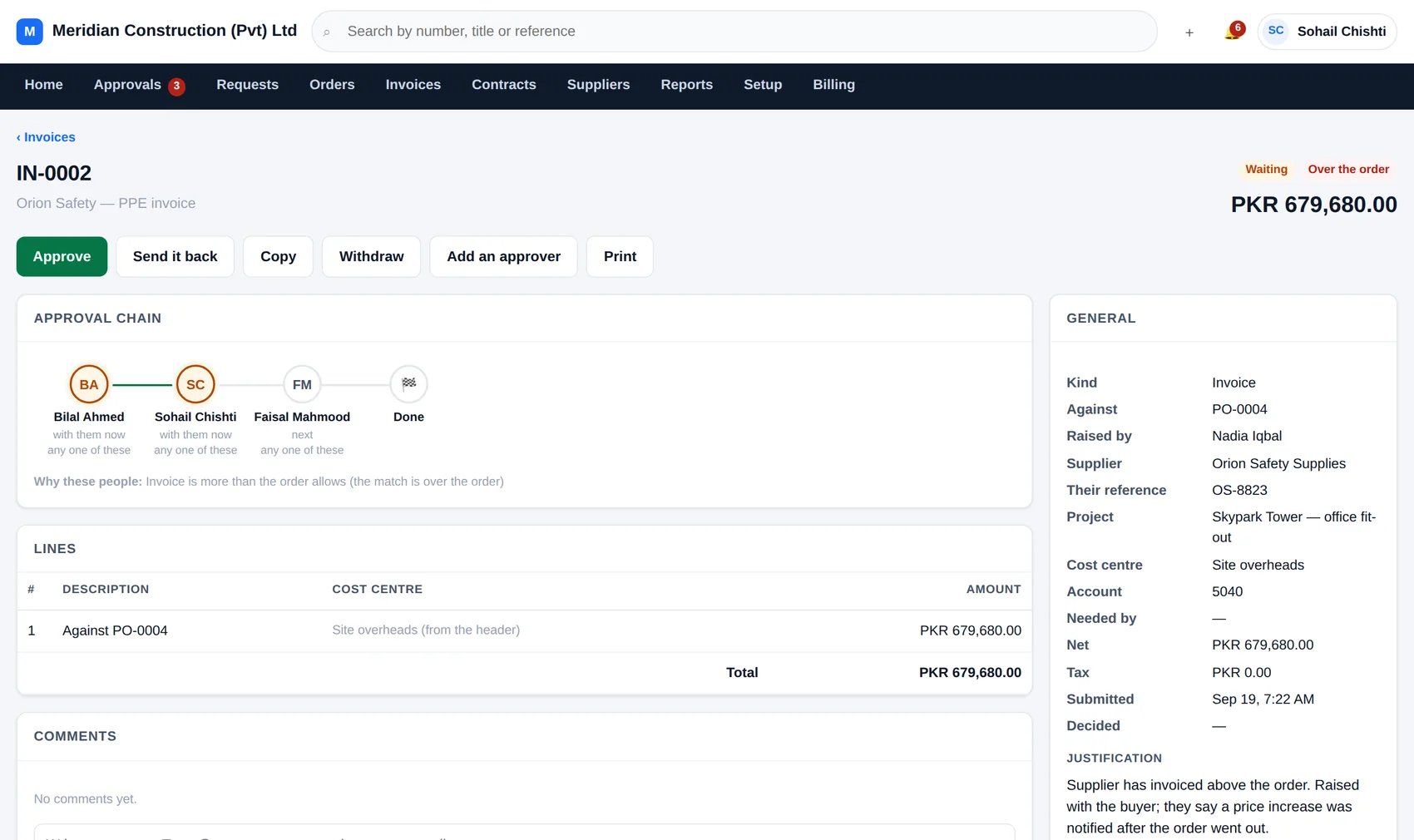
axisflow — invoice IN-0002
An invoice held because it exceeds the purchase order value.
This one is eighteen per cent over the order, and says so.

And afterwards

Reports that answer the questions people actually ask.

Not a chart library — seven views, each named after the question it answers, and every one exportable to a spreadsheet.

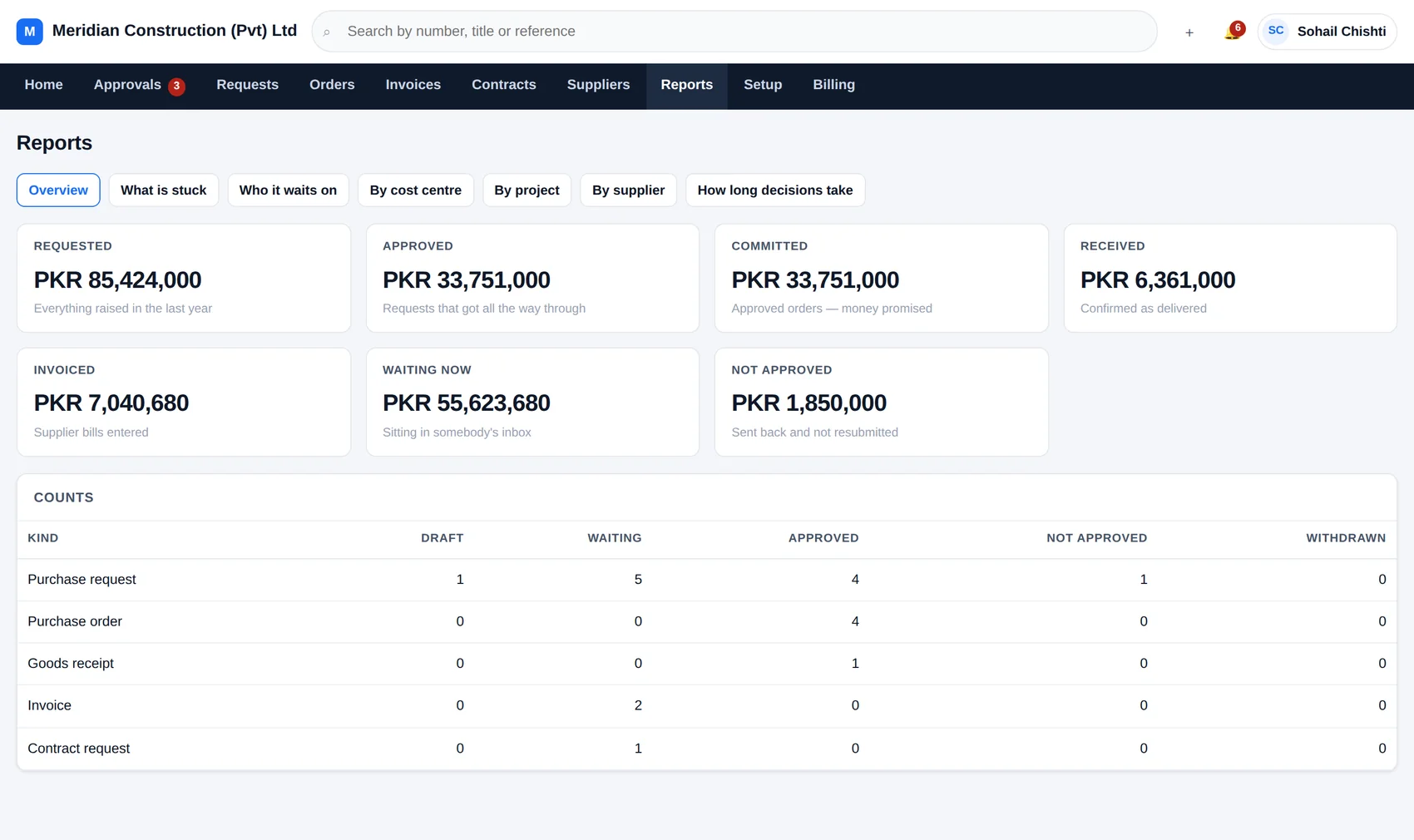
axisflow — reports
The AxisFlow reports overview showing requested, approved, committed, received, invoiced, waiting and not-approved totals, with counts by document kind.
The overview: promised, delivered, billed.
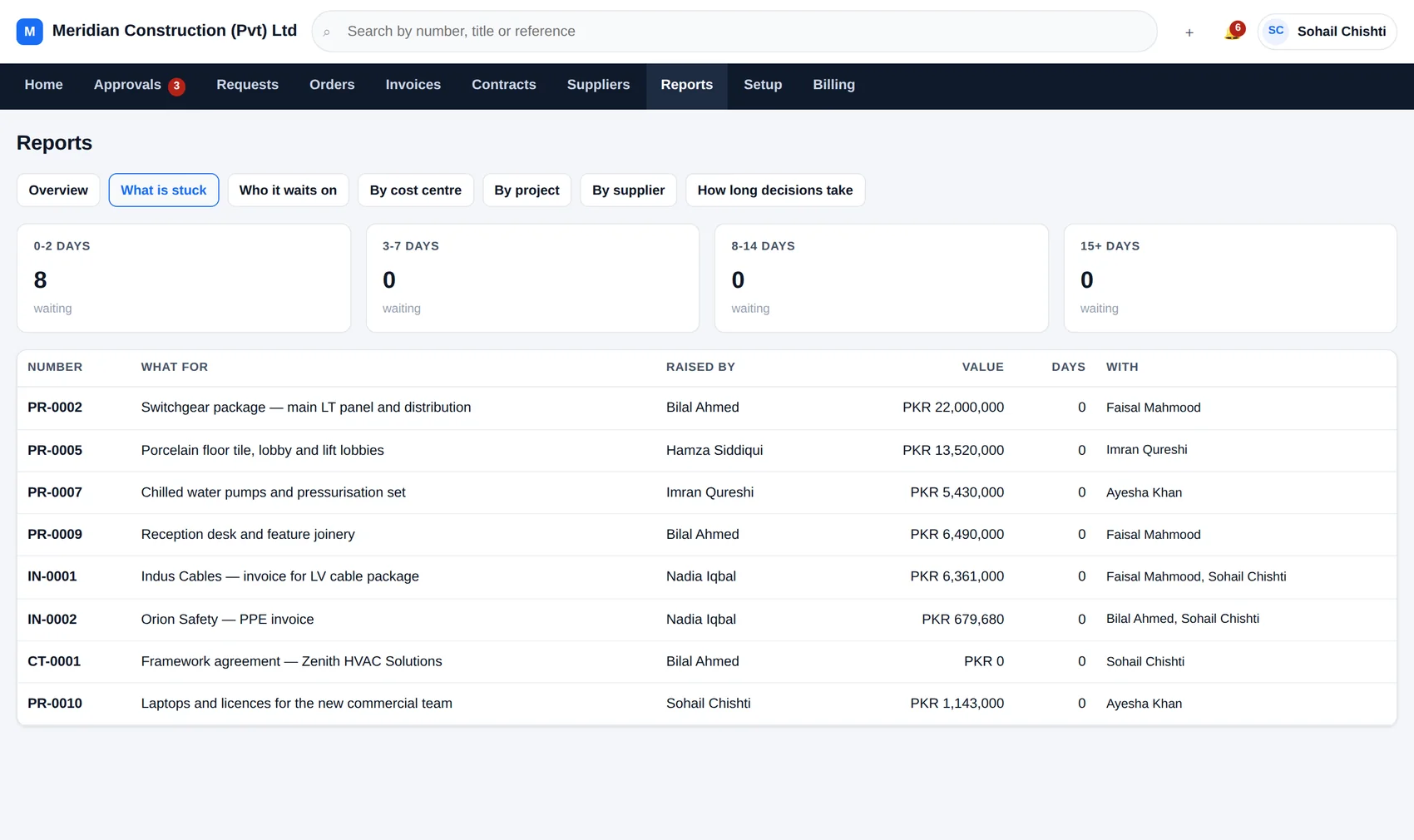
axisflow — what is stuck
The 'what is stuck' report listing documents by how long they have been waiting and with whom.
What is stuck, how long it has been stuck, and with whom.

What is stuck

Everything waiting, oldest first, with the days on it.

Who it waits on

By person — who is the bottleneck this month.

By cost centre

Requested, committed and spent against each one.

How long decisions take

Time from submitted to decided, by kind and by person.

Setting up

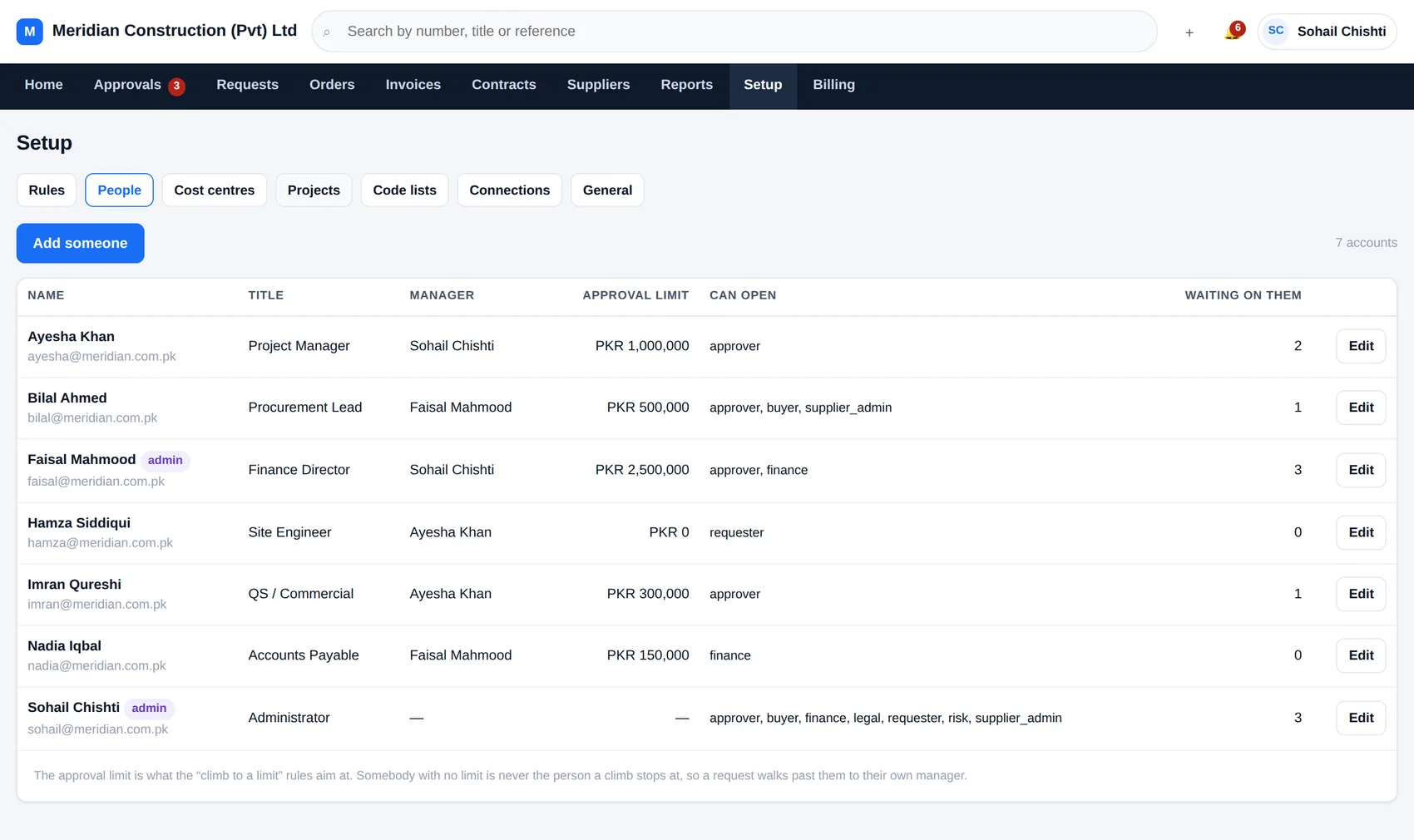
People, their managers, and what they may approve.

The management line is what makes “climb until somebody can sign for it” work, so it is worth ten minutes. Give each person a manager and an approval limit, put them in the groups that describe their job, and the rules do the rest.

  • Eight groups — requester, approver, buyer, finance, legal, risk, supplier desk, read-only
  • An approval limit per person, in your own currency
  • One email address is one account; the system will not let you create a second
  • Somebody leaves? Reassign everything of theirs in one step
axisflow — setup, people
The people screen in AxisFlow listing staff with their titles, departments, managers and approval limits.

On a phone

Because the person holding things up is usually on site.

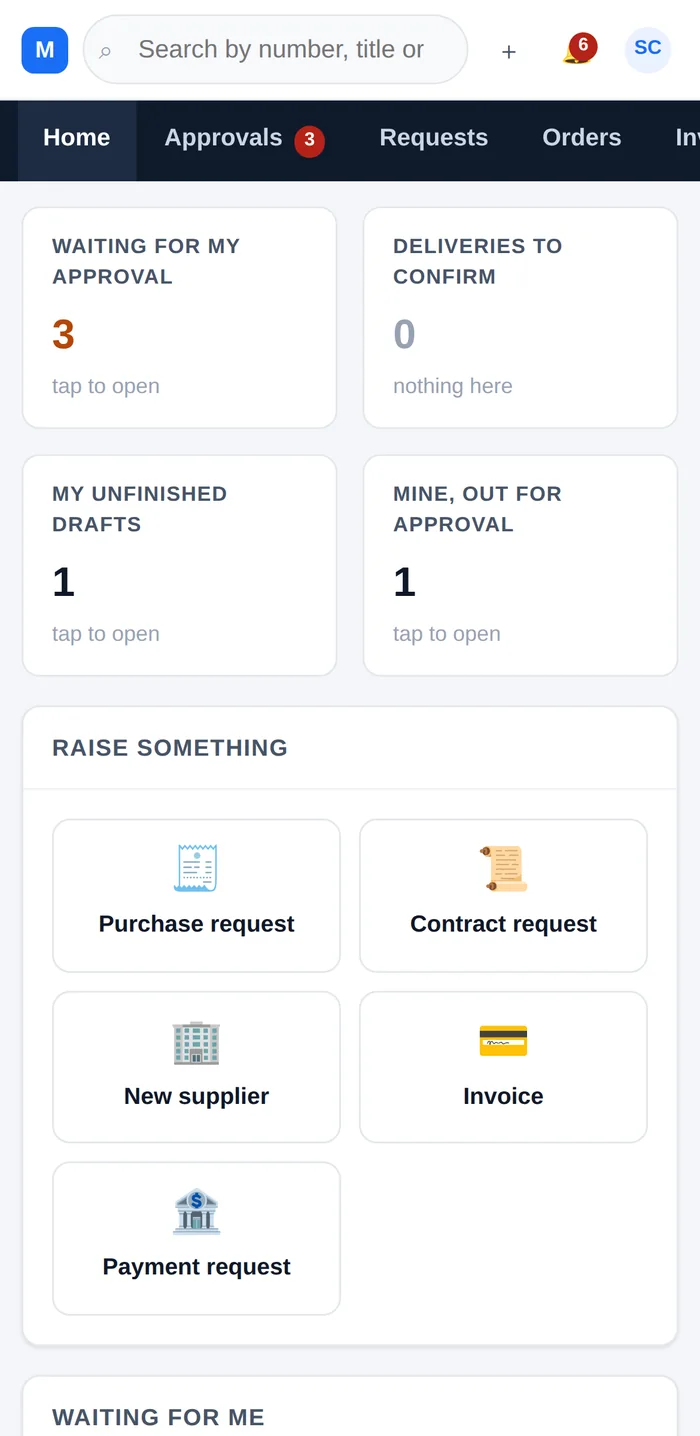
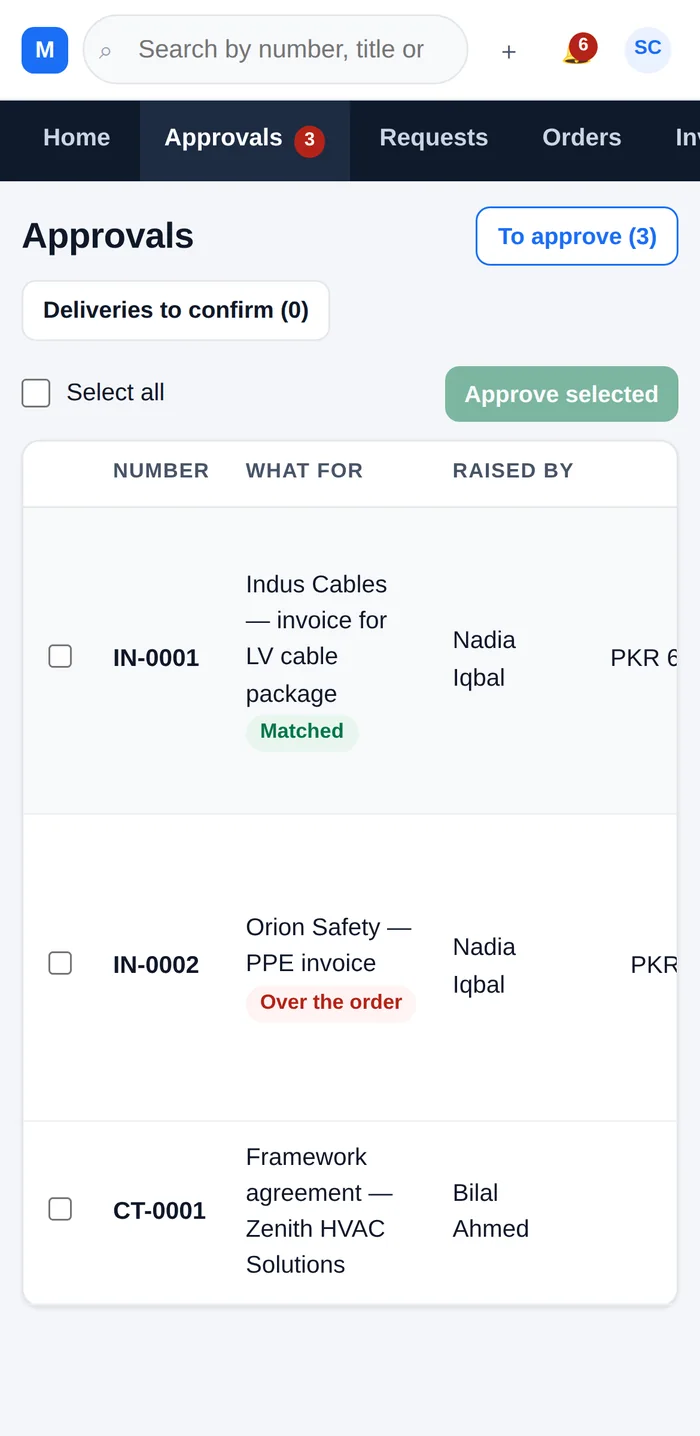
The same screens, laid out for a phone — not a separate app to install and not a cut-down version. An approver can read the justification, open the quotation and approve from the car park.

There is nothing to download. It is a web address.

AxisFlow on a phone: the home screen. AxisFlow on a phone: the approvals inbox.

Have a look at it with your own numbers.

Signing up takes a minute and the free plan does not expire. Put one project in and raise one request — you will know within the hour whether it suits you.